


Network monitoring · SNMP v1, v2c, v3 · Modbus TCP
SNMP card for AEC UPS systems
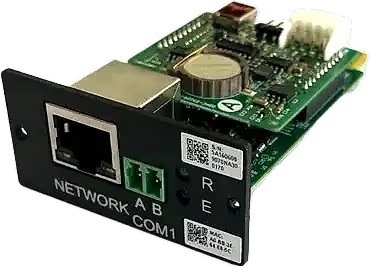
The SNMP card puts an AEC UPS on your network: read it from a browser or your monitoring system, get its alarms by email and SNMP trap, and shut servers down safely in a long outage. Two cards cover the range: SNMP-L and SNMP-M.
Which card
SNMP-L and SNMP-M, series by series.
Each card speaks the protocol of its series: pick it by the UPS. LUMINA models ending in -NC ship with the card already in the slot.
| Card | Fits | Protocols | Software | Manuals |
|---|---|---|---|---|
| SNMP-L | LUMINA, ETHERNO, AUREON, INFINITE and INFINITE 1.5MW | SNMP v1, v2c, v3 · traps · email alarms · Modbus TCP/IP | AEC's SNMP set-up program (finds the card), the card's web page, AEC's monitoring program (up to 1,000 UPSs from one PC), AEC's shutdown program (server shutdown) | Quick installation guide · User manual |
| SNMP-M | FERRUS, FERRUS RT, FERRUS SP, FERRUS SP RT, RADIANT, RADIANT-IB, CIRRO-IB and CIRRO | SNMP v1, v2c, v3 · traps · email alarms · Modbus TCP · MQTT | IPSearch (finds the card), its web page, UPSView (direct RS-232, RS-485 or USB) | Quick installation guide · User manual |
Both cards: 5.1" W × 4.3" D × 0.8" H (130 × 109 × 20 mm), 0.4 lb (0.2 kg), in the UPS's intelligent slot. From the 2026 catalog and the cards' user manuals.
How it works
From the slot to your screen.
- Fit the card in the UPS's communication slot and connect it to the network with an Ethernet cable.
- Find it with AEC's SNMP set-up program (SNMP-L) or IPSearch (SNMP-M), and give it a fixed address or DHCP.
- Open its web page: status, measurements, event log, alarms and the email settings.
- Set SNMP: version, communities or v3 users, and the trap receivers of your monitoring system.
- Protect the servers: AEC's shutdown program on each one closes it safely before the battery runs out.
Standards
Read by any monitoring system.
SNMP is the network management protocol of the IETF; the UPS management information base (MIB) every vendor builds on is RFC 1628. The cards answer on it at port 161 and send traps to port 162, so a network management system that reads UPSs reads an AEC UPS too. Version 3 adds user names, authentication and encryption.
To a building management system the cards also speak Modbus TCP/IP; the dry contact card gives plain relay signals instead.
Every site on one page
The UPS Monitoring Cloud shows every UPS with a network card on one web page, with alarms by email.
Questions
Questions people ask
What is an SNMP card for a UPS?
A network card that goes into the UPS's communication slot and gives the UPS an IP address. Monitoring software, a network management system or a web browser can then read its status, measurements and alarms, receive SNMP traps when something changes, and shut servers down before the battery runs out.
Which SNMP card fits my AEC UPS?
SNMP-L fits LUMINA, ETHERNO, AUREON, INFINITE, INFINITE 1.5MW; SNMP-M fits FERRUS, FERRUS RT, FERRUS SP, FERRUS SP RT, RADIANT, RADIANT-IB, CIRRO-IB, CIRRO. The two are not interchangeable: each speaks its own series' protocol.
Do the cards support SNMPv3?
Yes. Both cards support SNMP v1, v2c and v3 (user names with authentication and encryption), as their user manuals describe.
Does the card work with my network management system?
Yes, if it reads the standard UPS MIB: the cards answer on RFC 1628, which most network management systems read, and send traps to the receivers you set (port 162). Polling uses the standard SNMP port 161.
Can the UPS shut down my servers?
Yes. AEC's shutdown program (SNMP-L) runs on each server and closes it safely during a long outage, before the battery runs out; the card also sends the alarm by email and trap.
SNMP or USB: which one do I need?
USB (or RS-232) connects one computer directly to one UPS, usually for a single server's shutdown. The SNMP card puts the UPS on the network, so many computers and the monitoring system can read it at once, from anywhere.
Is Modbus available?
Yes: the catalog lists both cards for Modbus TCP/IP remote monitoring, and ETHERNO and CIRRO also have Modbus or RS-485 and dry contacts as standard ports.
Monitor your UPS
Tell us the UPS and how many there are: we reply with the card, the software and the settings for your network.