


Display simulators
UPS display simulators: the screen before the UPS arrives.
The real screens of six AEC UPS displays, from their user manuals. Pick a display, then a UPS state or a main page, or touch the screen as on the UPS. Open to anyone.
Pick a display
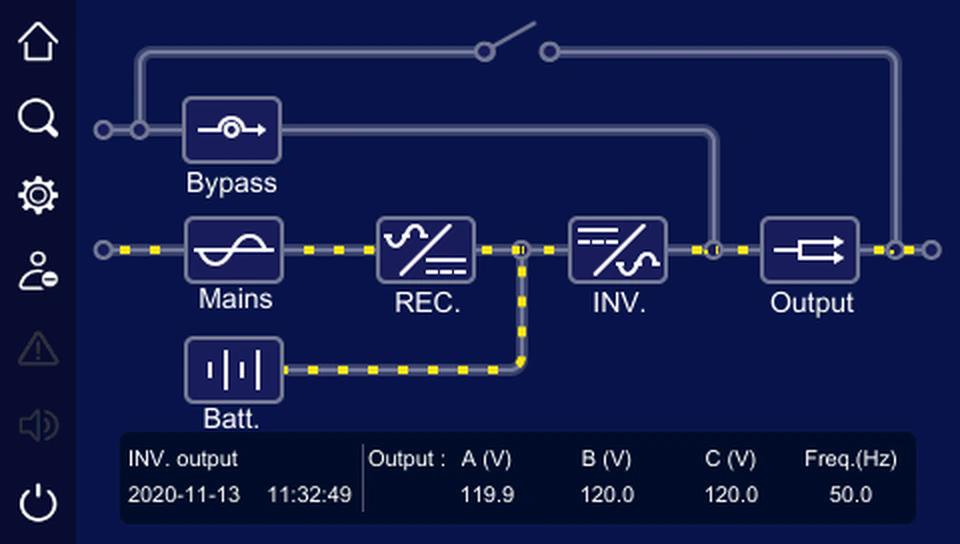
ETHERNO · the real screen
Normal
Normal: the rectifier and inverter carry the load and charge the lithium modules.
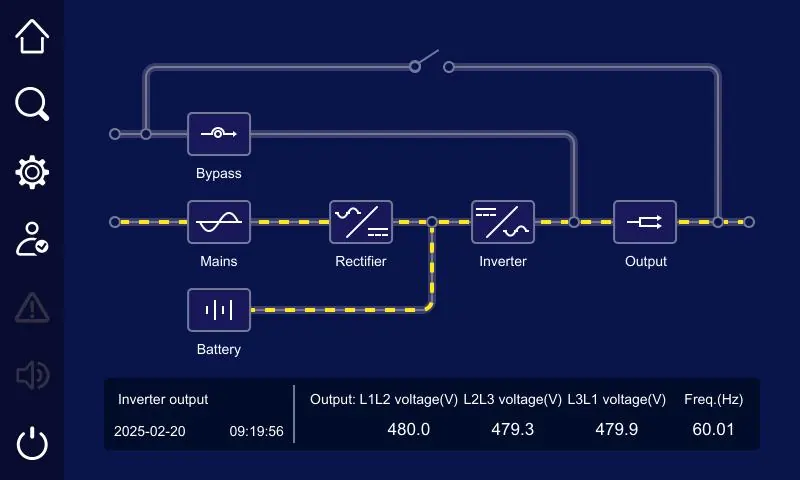
INFINITE · the real screen
Normal
Normal: mains, rectifier, inverter, output; the battery charges.
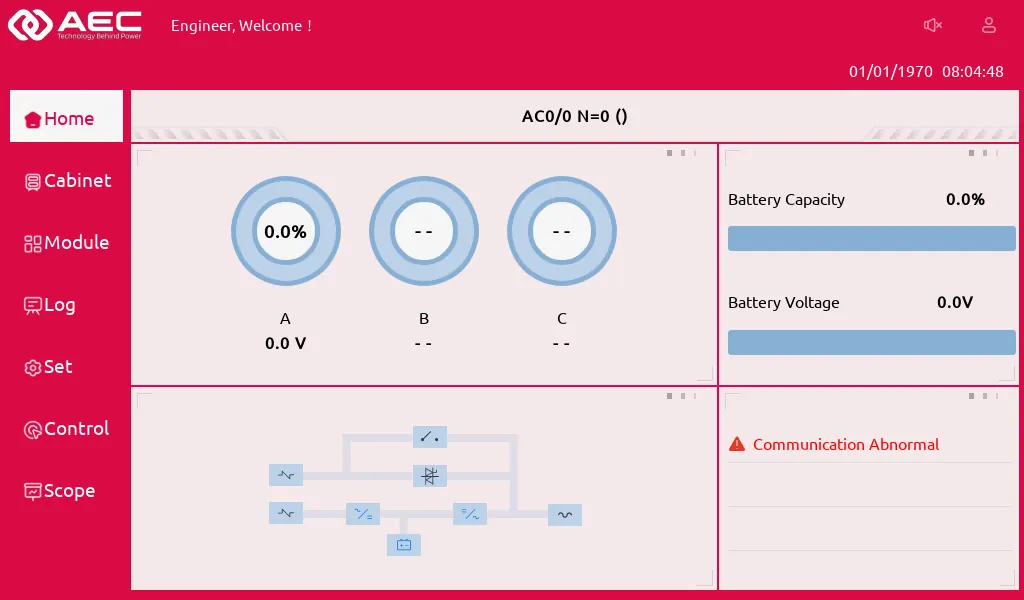
RADIANT · CIRRO · the real screen
Home
The home page after the welcome window: status bar, output voltage gauges, battery bars, energy flow and warning information, with the main menu on the left.
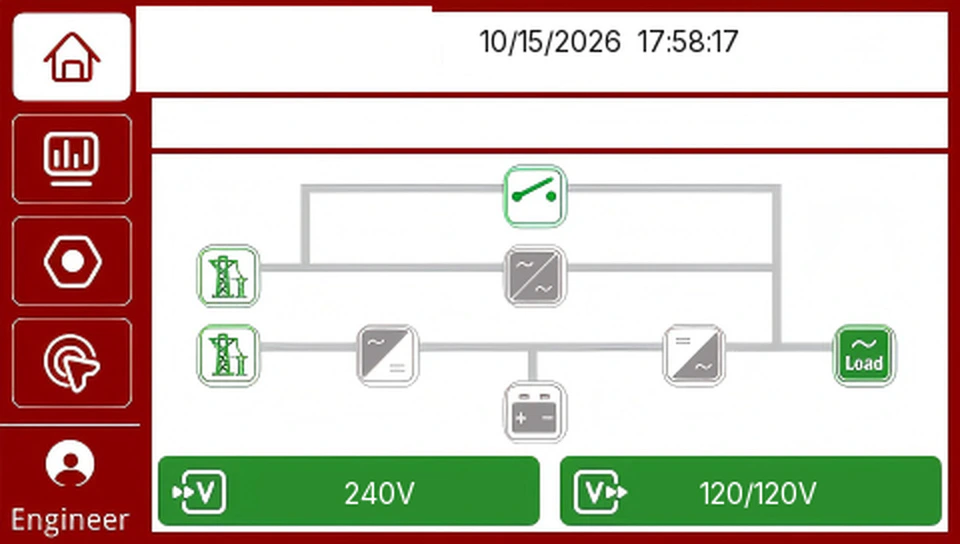
FERRUS SP · the real screen
Home
Side menu (Home, Data, Set, Control; Engineer logged in), status bar (message, speaker icon, date and time), the power flow — input, bypass, rectifier, inverter, battery and load, green = active, gray = not active — and the input voltage (240 V) and the output voltage of the two legs (120/120 V).
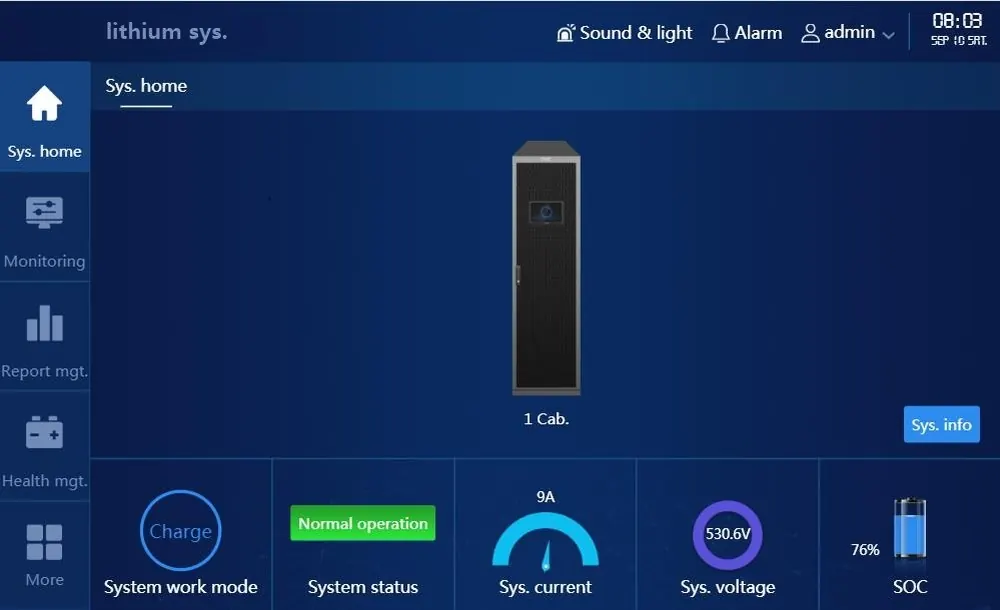
L6 lithium cabinet · the real screen
Home
The cabinets with their color (blue normal, yellow alarm, red protected, gray not connected), the system work mode, status, current, voltage and SOC. Tap a cabinet for its monitoring pages, or Sys. info for the system extremes.
The display reads OUTPUT 120 Vac
Inverter off and back on
The UPS runs online on mains.
You seeMains icon lit, OUTPUT 120 Vac.
Talk to an engineer
Tell us the load, the voltage and the minutes you need. We answer with the model and the batteries that fit.